


MASTER ICLONE 8 ANIMATION IN 60 DAYS
The most advanced iClone course ever made
✓
✓
✓
✓
✓
✓
✓
✓
Real-time cinematic's
✓
Mocap cleanup
✓
Curve editor
✓
Motion blending
✓
Custom motion design
✓
Advanced workflows
✓
Morphs
✓
UE5 Pipeline
✓
Advanced camera setups
Lip-sync & facial
Cinematic lighting
User interface basics
Textures
Physics
Rendering techniques
Path tracing & Lumen
7-DAY MONEY BACK
FREE STARTER PACK

CERTIFICATE INCLUDED
PROJECT FILES
REGULAR UPDATES
24/7 SUPPORT

4.8
Over 500 students
_gif.gif)


INSIDE THE MASTERCLASS
100+ step-by-step videos
Cinematic Character Shots
✓
✓
✓
Motion blending
Facial nuance
Lighting polish
Dialogue Scenes
✓
✓
✓
Lip Sync & Facial
Camera cuts
Pacing
UE5 Pipeline
✓
✓
✓
Character & Motion
Lighting & Lumen
Exporting scenes
Learn advanced lighting, rendering and grading techniques
Cinematic Lighting
Camera Bokeh (Blurred Background)
Texturing Models
iClone 8 Render Vs Iray Render
YOU
ARE
READY?
To finally master the craft of animation, from movement, rhythm, and timing to cinematic storytelling.
To create lifelike performances that feel real, not robotic.
To stop guessing and start animating with confidence.
To take control of your creativity and master every aspect of iClone.
THE MODULES
13 Modules


ABOUT THE COURSE
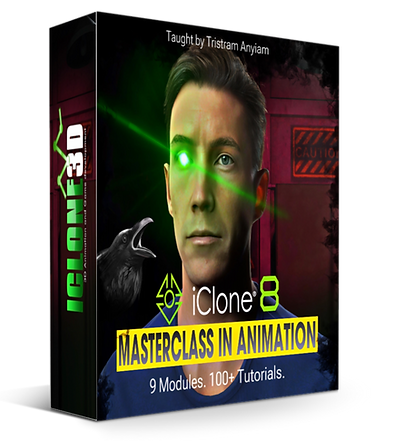

The iClone 8 Masterclass in Animation is a complete, industry-level training program designed to take you from beginner to professional animator, step by step. Whether you’re creating films, game cinematics, or studio-quality 3D content, this course gives you everything you need to master iClone 8 with clarity, confidence, and creativity.
You’ll learn through structured, hands-on modules covering every essential area. From mastering the interface and building scenes, to perfecting lighting, texturing, animation, cameras, and cinematic FX. Each lesson has been carefully crafted to build your skills progressively, using real-world examples and production-ready workflows.
Throughout the course, you’ll discover how to:
-
Create professional 3D environments and detailed characters.
-
Animate with fluid, lifelike motion using mocap and key-frame techniques.
-
Achieve cinematic camera work and lighting that elevates your storytelling.
-
Apply textures, materials, and FX that make your scenes stand out.
-
Render high-quality results ready for film, games, or social media.
You’ll also gain access to project files, downloadable templates, and exclusive bonus content. Everything designed to help you learn faster and produce real results.
This isn’t just a course, it’s a complete learning experience built to unlock your potential as a 3D animator. By the end, you’ll have the skills, workflow, and confidence to create your own professional animations inside iClone 8 from start to finish.
4.8
Over 500 students
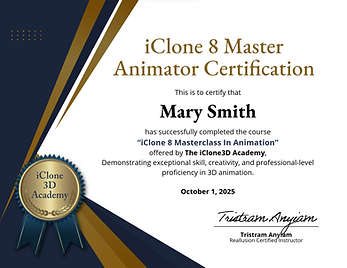
Certificate Upon Completion
(Click image to view)
_gif.gif)
_gif.gif)
_gif.gif)
_gif.gif)
_gif.gif)
WHO SHOULD TAKE THIS CLASS?
Anyone who wants to master iClone and create cinematic animation from scratch.
Beginners ready to level up their storytelling and build real animation skills.
Ambitious learners who want the skills, the confidence, and the results of a pro animator.
WHAT YOU WILL LEARN
iClone 8 mastery within 60 days
Take a look at the videos below to see just some of the incredible things you’ll be able to create by the end of this course. From lifelike motion capture to cinematic lighting and professional 3D animation.
Morphs
-
Create seamless human-to-werewolf morphs
-
Combine body, face, and motion morphs
-
Control timing for realistic transformations
-
Add FX, lighting, and camera shake for impact
-
Enhance the scene with sound and atmosphere
Mocap Cleanup
-
Fix mocap glitches and unwanted movement
-
Correct hand and body alignment with props
-
Prevent clipping through chairs and objects
-
Adjust contact points for realistic interaction
-
Master cleanup techniques for any mocap scene
Fight Sequence
-
Create dynamic, cinematic fight scenes
-
Blend multiple mocap clips seamlessly
-
Align characters for smooth interaction
-
Refine punches, hits, and reactions
-
Fix contact points for realism
Character Interactions
-
Animate natural character interactions
-
Align motions for realistic contact
-
Use Look At and Reach Targets for precision
-
Sync timing and movement seamlessly
-
Add subtle gestures for lifelike realism
Physics
-
Simulate realistic cloth and hair movement
-
Create and adjust collision shapes
-
Control soft cloth and rigid body dynamics
-
Add wind and environmental effects
-
Bake physics for consistent results
Facial Expressions
-
Create custom facial expressions
-
Animate emotions through subtle movements
-
Control eyes, brows, and mouth precisely
-
Blend expressions smoothly over time
-
Add realism using the Curve Editor
iClone To Unreal
-
Export characters, animations, and cameras
-
Retarget motions for perfect playback.
-
Optimize scenes for cinematic quality.
-
Sync facial animation and mocap in real time.
-
Full iClone-to-Unreal production pipeline.
Final Polish
-
Learn cinematic colour grading techniques
-
Add film grain & texture to your final scene
-
Create realistic camera shakes & movement
-
Add lens FX to your scene & depth of field
-
Final Lighting & Tone Balance for cinematics
Real-Time Wounds
-
Create real time wounds directly in iClone.
-
Animate wounds over time during playback.
-
Learn layered textures, masks, and materials.
-
Trigger wounds from impacts.
-
Optimize wound effects in real time.
Short Film Creation
-
Create complete cinematic short films
-
Learn the professional production workflow
-
Shape mood with cinematic colour grading
-
Design purposeful camera movement
-
Apply lens effects and depth of field
-
Final cinematic lighting polish
WHAT'S INCLUDED...
When you join the iClone 8 Masterclass in Animation, you’re not just getting access to over 100 professional video lessons, you’re unlocking a complete toolkit designed to fast-track your success as a 3D animator.
Here’s what you’ll get instantly upon enrollment:
.png)
.png)
.png)
.png)
.png)
.png)

.png)
The Language of the Lens is a definitive guide to understanding how cinematographers shape emotion, perspective, and meaning through the deliberate use of lenses. Far more than a technical manual, this book reveals the visual grammar behind every cinematic image. It shows how focal length, field of view, depth of field, aperture, sensor size, framing, and shot design work together to control not just what the audience sees, but how they feel.
Written by Tristram Anyiam with a powerful blend of clarity and artistry, the book teaches readers how to think like a cinematographer, whether they work in virtual production tools such as iClone and Unreal Engine or on real film sets. It exposes the psychology behind lens choices, explains how perspective shapes emotional distance, and demonstrates how even small decisions in framing and focus can completely transform a scene.
The Language Of The Lens

Upon successful completion of the iClone 8 Master Class in Animation, students receive an official Certificate of Completion from iClone 3D Academy, issued by a Reallusion Certified Instructor.
MEET THE INSTRUCTOR
iClone 8 mastery within 60 days

Tristram Anyiam is a real-world cinematographer, filmmaker, and Unreal Engine 5 specialist with a deep passion for storytelling through motion and light. With years of hands-on experience in film production and 3D animation, Tristram brings a unique blend of cinematic expertise and technical mastery to every project he creates.
His background in performing arts and acting gives him a distinctive edge allowing him to approach animation not just as a technical process, but as a performance-driven art form. This perspective shapes his teaching style, making complex concepts in iClone 8 and Unreal Engine easy to understand and apply in real-world scenarios.
In this masterclass, Tristram shares the same creative methods and professional workflows he uses in his own productions, giving you the insight, structure, and confidence to bring your own ideas to life on screen.
WATCH THE TRAILER
Checkout the course trailer below
OVER 100 TUTORIALS
covering everything from custom animations to scene creation
8 YEARS EXPERIENCE
Master the art of animation from a Reallusion certified instructor
5K YOUTUBE SUBSCRIBERS
Who tune into our free tutorials everyday as we continue to grow.


